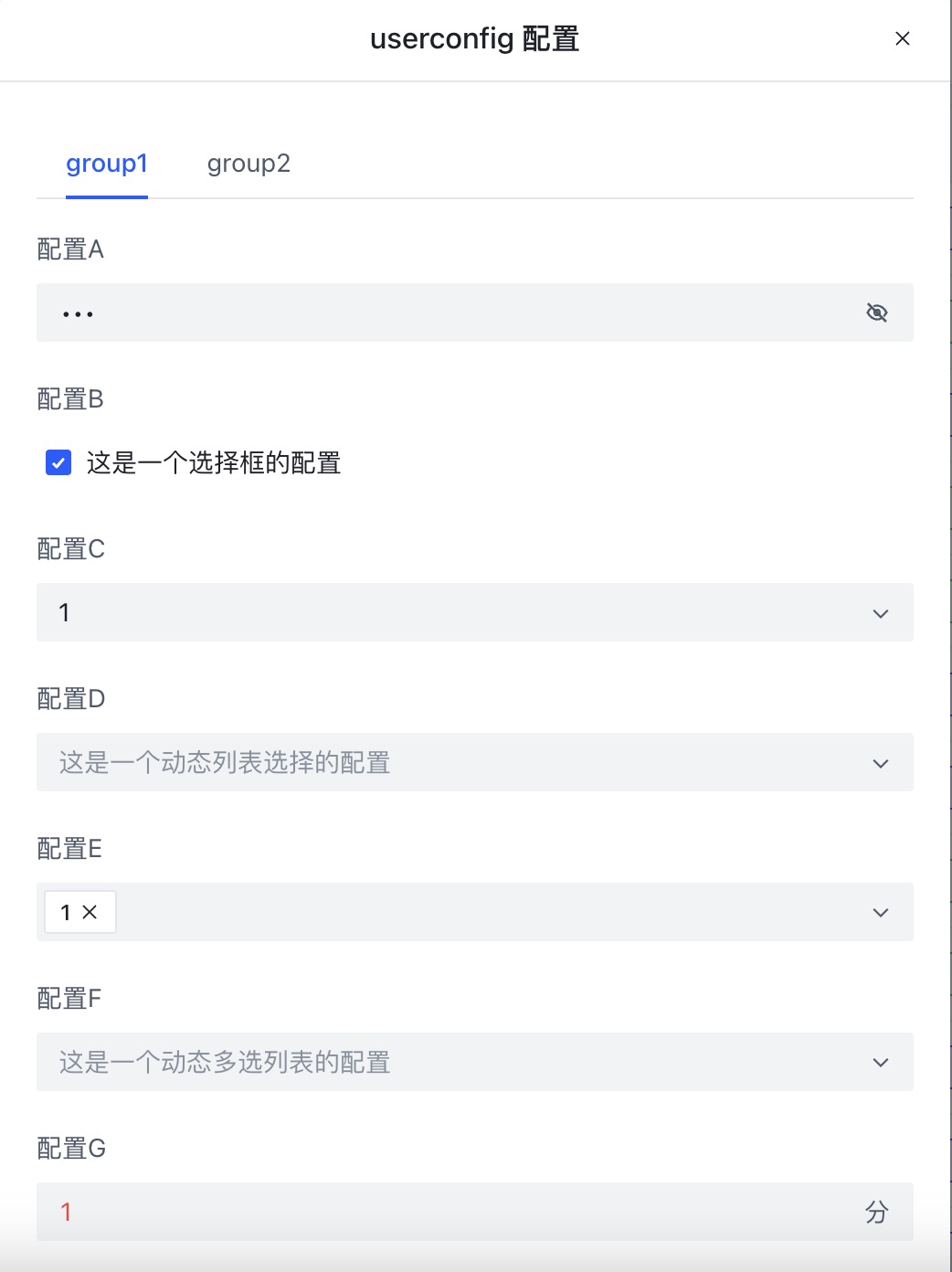
UserConfig
The content inside ==UserConfig== goes after ==UserScript==, and describes some user-configurable options for the script. The configuration is written in YAML format:
/* ==UserConfig==
group1:
  configA:                                # key is group.config, e.g. this key is group1.configA
    title: Config A                       # the config's title
    description: This is a text-type config # the config's description
    type: text                            # option type; auto-detected from the data if omitted
    default: default value                # the config's default value
    min: 2                                # minimum 2 characters
    max: 18                               # maximum 18 characters
    password: true                        # mark as a password field
  configB:
    title: Config B
    description: This is a checkbox config
    type: checkbox
    default: true
  configC:
    title: Config C
    description: This is a select-list config
    type: select
    default: 1
    values: [1,2,3,4,5]
  configD:
    title: Config D
    description: This is a dynamic select-list config
    type: select
    bind: $cookies                       # dynamically bound values; the key starts with $, and the value must be an array
  configE:
    title: Config E
    description: This is a multi-select-list config
    type: mult-select
    default: [1]
    values: [1,2,3,4,5]
  configF:
    title: Config F
    description: This is a dynamic multi-select-list config
    type: mult-select
    bind: $cookies
  configG:
    title: Config G
    description: This is a numeric config
    type: number
    default: 1
    min: 10  # minimum value
    max: 16  # maximum value
    unit: min # unit label
  configH:
    title: Config H
    description: This is a long-text config
    type: textarea
    default: default value
---
group2: # second config group
  configX:
    title: Config X
    description: This is a text-type config
    default: default value
 ==/UserConfig== */
Once defined here, a config button appears in the dashboard for the user to configure. Developers use GM_getValue to read the config's value, with the key expressed as group.config.