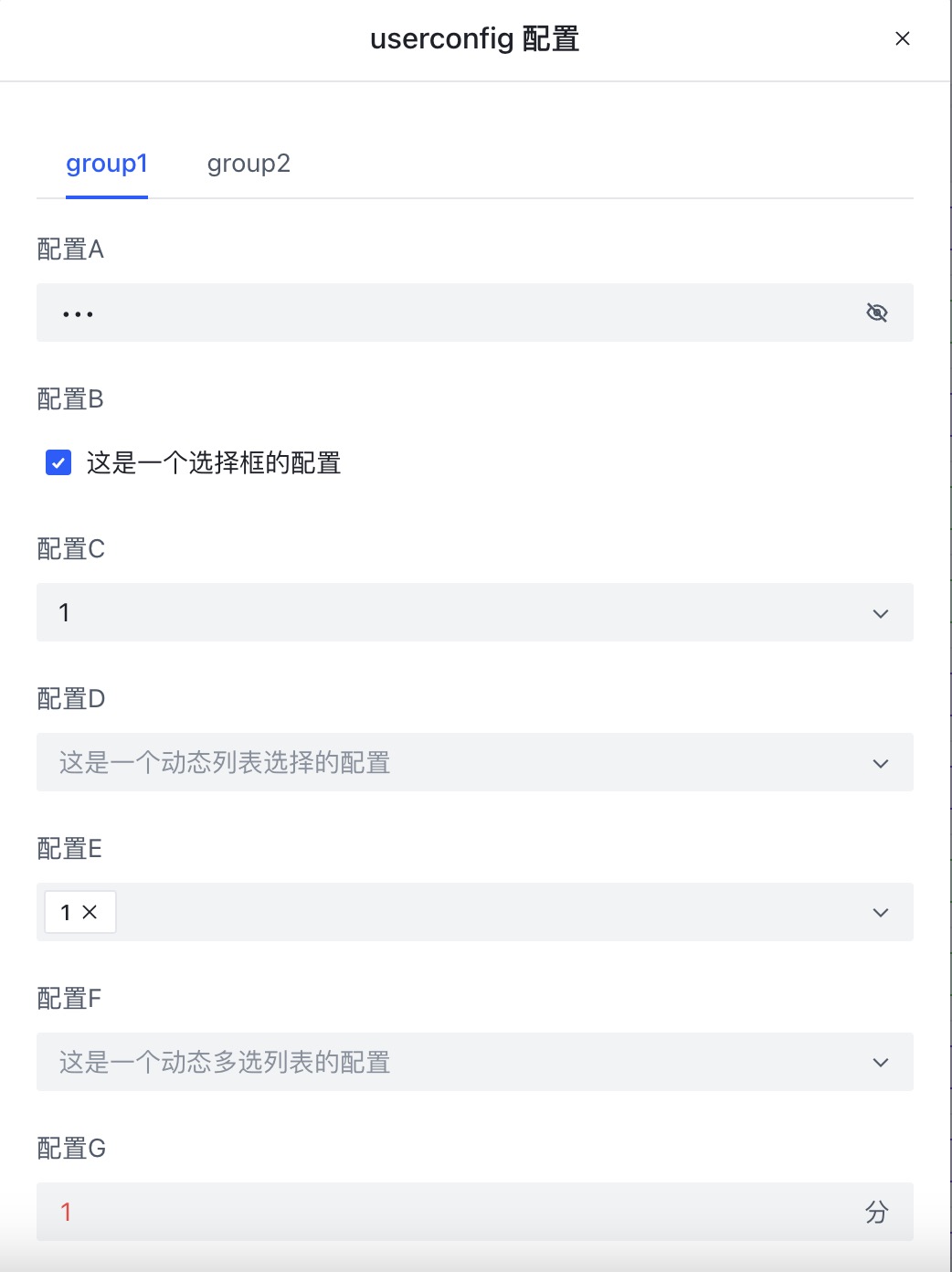
UserConfig
==UserConfig== 内のコンテンツは ==UserScript== の後に配置され、スクリプトのユーザー設定可能なオプションを記述します。設定は YAML 形式で記述されます:
/* ==UserConfig==
group1:
  configA:                                # キーは group.config(例:このキーは group1.configA)
    title: Config A                       # 設定のタイトル
    description: テキスト型の設定です       # 設定の説明
    type: text                            # オプションのタイプ;省略した場合はデータから自動検出
    default: デフォルト値                  # 設定のデフォルト値
    min: 2                                # 最小2文字
    max: 18                               # 最大18文字
    password: true                        # パスワードフィールドとしてマーク
  configB:
    title: Config B
    description: チェックボックス型の設定です
    type: checkbox
    default: true
  configC:
    title: Config C
    description: セレクトリスト型の設定です
    type: select
    default: 1
    values: [1,2,3,4,5]
  configD:
    title: Config D
    description: 動的セレクトリスト型の設定です
    type: select
    bind: $cookies                       # 動的にバインドされた値;キーは$で始まり、値は配列である必要があります
  configE:
    title: Config E
    description: マルチセレクトリスト型の設定です
    type: mult-select
    default: [1]
    values: [1,2,3,4,5]
  configF:
    title: Config F
    description: 動的マルチセレクトリスト型の設定です
    type: mult-select
    bind: $cookies
  configG:
    title: Config G
    description: 数値型の設定です
    type: number
    default: 1
    min: 10  # 最小値
    max: 16  # 最大値
    unit: min # 単位ラベル
  configH:
    title: Config H
    description: 長文テキスト型の設定です
    type: textarea
    default: デフォルト値
  configI:
    title: Config I
    description: 時刻型の設定です
    type: time
    default: "12:00"
---
group2: # 第2設定グループ
  configX:
    title: Config X
    description: テキスト型の設定です
    default: デフォルト値
 ==/UserConfig== */
ここで定義すると、ダッシュボードに設定ボタンが表示され、ユーザーが設定できます。開発者は GM_getValue を使用して設定値を読み取り、キーは group.config として表されます。