從 Violentmonkey 遷移到 ScriptCat
如果您目前使用 Violentmonkey 並想遷移到 ScriptCat,以下是一些步驟和技巧,幫助您順利完成遷移。
從 Violentmonkey 匯出備份
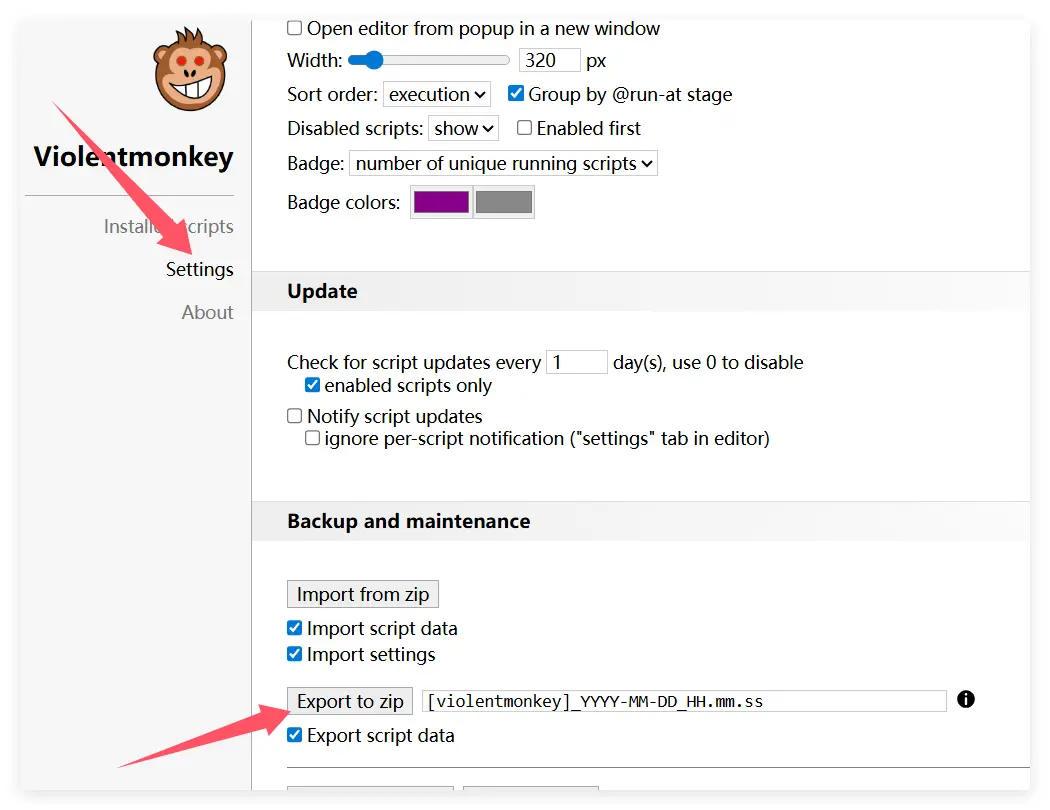
首先,點擊 Violentmonkey 圖示進入管理面板。

點擊 設定,然後點擊 匯出為 zip 檔案 以匯出備份檔案。
匯入到 ScriptCat
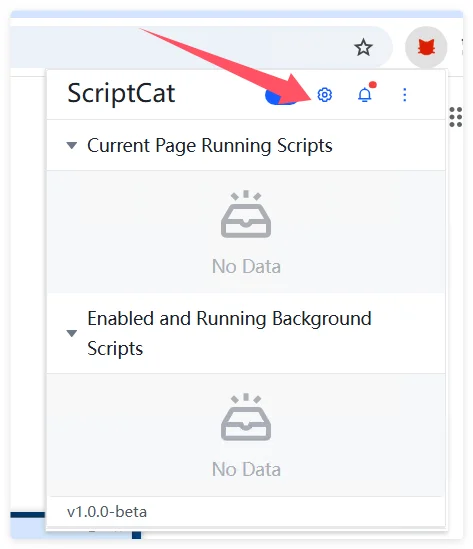
在 ScriptCat 擴充功能中,點擊控制面板圖示進入管理面板。
選擇 工具,點擊 匯入檔案,選擇先前匯出的 Violentmonkey zip 檔案,然後點擊 開啟 進行匯入。
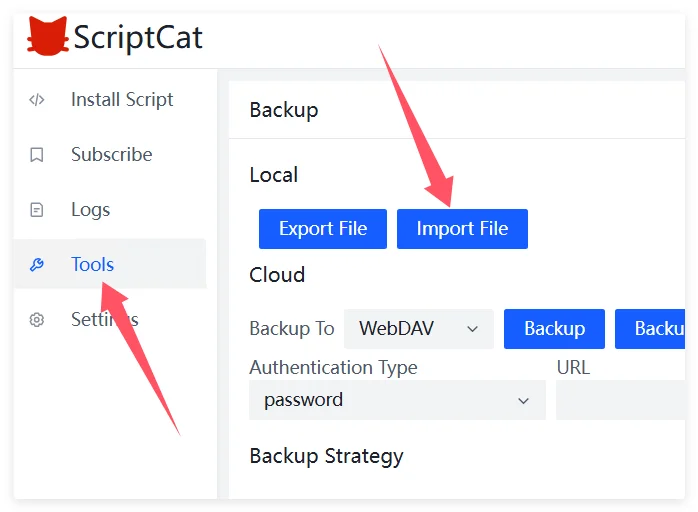
然後在新開啟的頁面中,選擇或全選要匯入的腳本,點擊 匯入 按鈕。