v1.5 — New Interface
v1.5 is currently still in a testing phase (Beta); the following features may change before the official release. Feedback from trying it out is welcome — you can also join the discussion about the new UI/UX in the GitHub Discussions.
v1.5 is a full rebuild of the ScriptCat interface: cleaner, more consistent, and easier to use — with dedicated optimizations for mobile so that both desktop and mobile users get a better experience.
A Brand-New Interface #1514
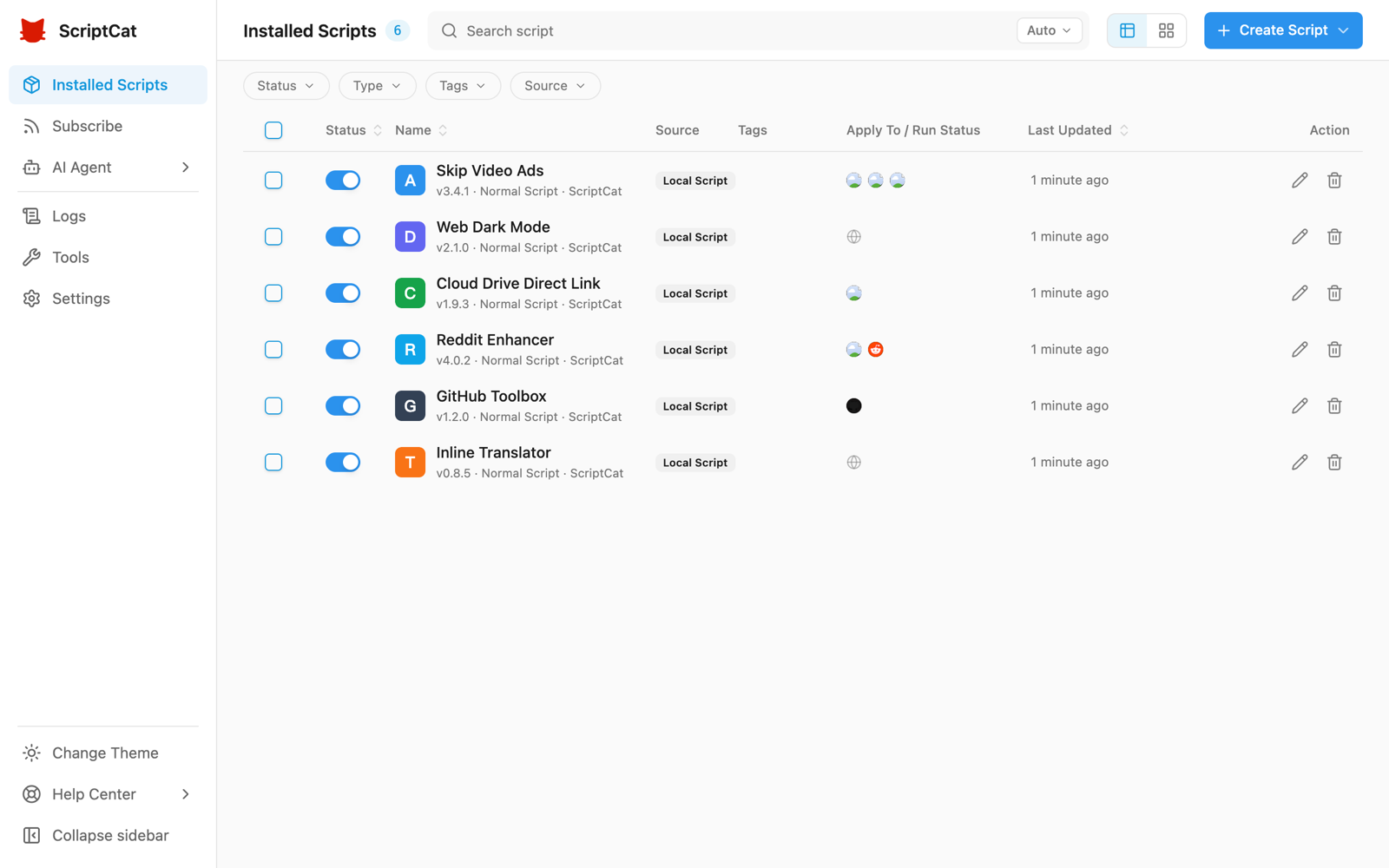
The entire interface has been fully rebuilt, with a more consistent visual style, clearer hierarchy, and full light/dark theme support. The script list offers both table and card views, together with advanced filtering by status, type, tag, and source — so managing a lot of scripts stays comfortable.
Mobile Optimizations
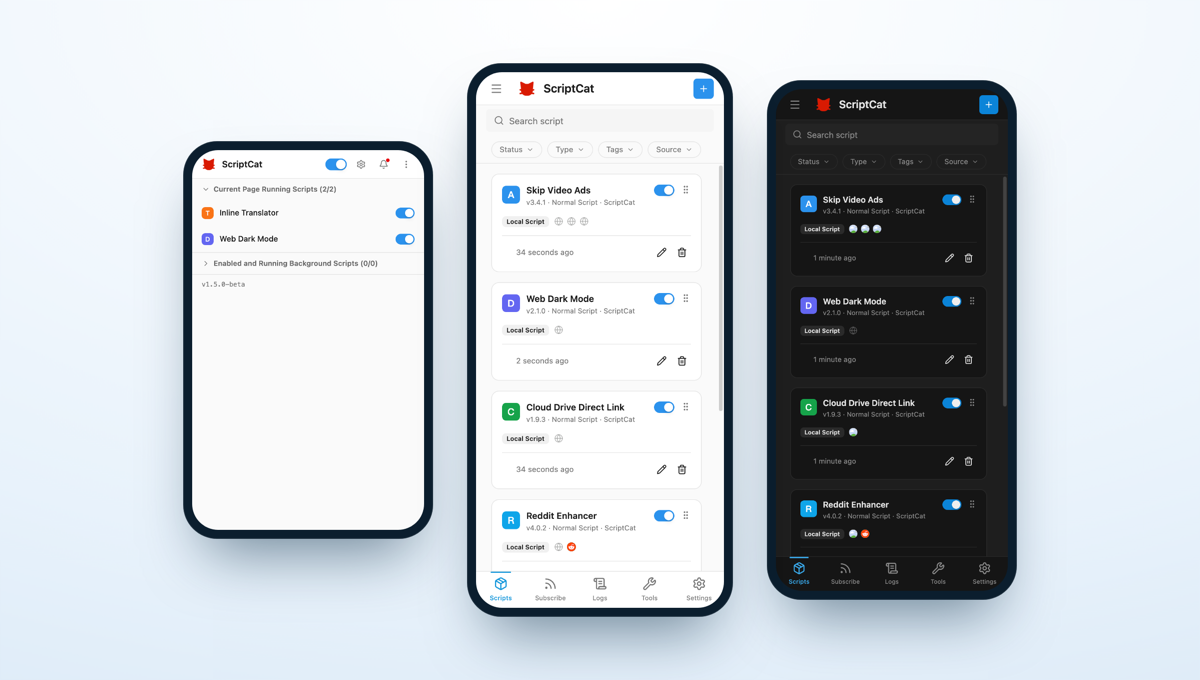
The layout is now purpose-built for mobile browsers that support extensions (such as Edge for Android and Kiwi): the script list is shown as cards, a bottom navigation bar is provided, a left-side drawer gives quick access to Subscriptions, Logs, Tools, and Settings, and the extension popup adapts to narrow screens.
Choose Script Type from the Editor #1544
The editor tab bar's "+" now lets you pick the type of script to create (normal / background / scheduled) directly, without returning to the list page.
Manual Download for Local Backups #1543
Local backups now offer a manual download link to export the backup file directly to your device.
structured_clone Messaging on Chromium 148+ #1534
On Chromium 148+, internal extension messages use structured_clone serialization, supporting a wider range of data types.
Other Improvements
- GM API: native
GM_downloadnow honors@connect, consistent withGM_xmlhttpRequest#1506 - Performance: improved script-loading cache and fixed leftover popup menus #1511
- Editor: adjusted the
eslint-plugin-userscriptsrules #1510 - Pre-release (beta) updates now open the changelog page automatically
- Fix: avoid scheduled-task issues caused by cron auto-detecting an invalid time zone #1531
- Fix: replace an unavailable demo API in the crontab example #1542
- i18n: added Turkish